
Table Customisation
Giving customers greater control over how they organised, filtered and shared complex datasets; without losing the consistency of a sensible default experience.
Data, Configuration, Enterprise • 2026
Giving customers greater control over how they organised, filtered and shared complex datasets; without losing the consistency of a sensible default experience.
Data, Configuration, Enterprise • 2026
As Visibly's datasets became richer, our standard table layouts were becoming too restrictive for the different ways customers needed to work.
We could provide a useful starting point based on the data we knew was commonly important, but individual organisations had their own priorities, processes and reporting needs.
The challenge went beyond simply reordering or adding columns.
Customers often needed several variations of the same table for different tasks - each showing different data, filters or configurations - and those views also needed to be reusable and shareable across their teams.
We needed to retain a strong default experience while giving customers much greater control over how their data was presented.
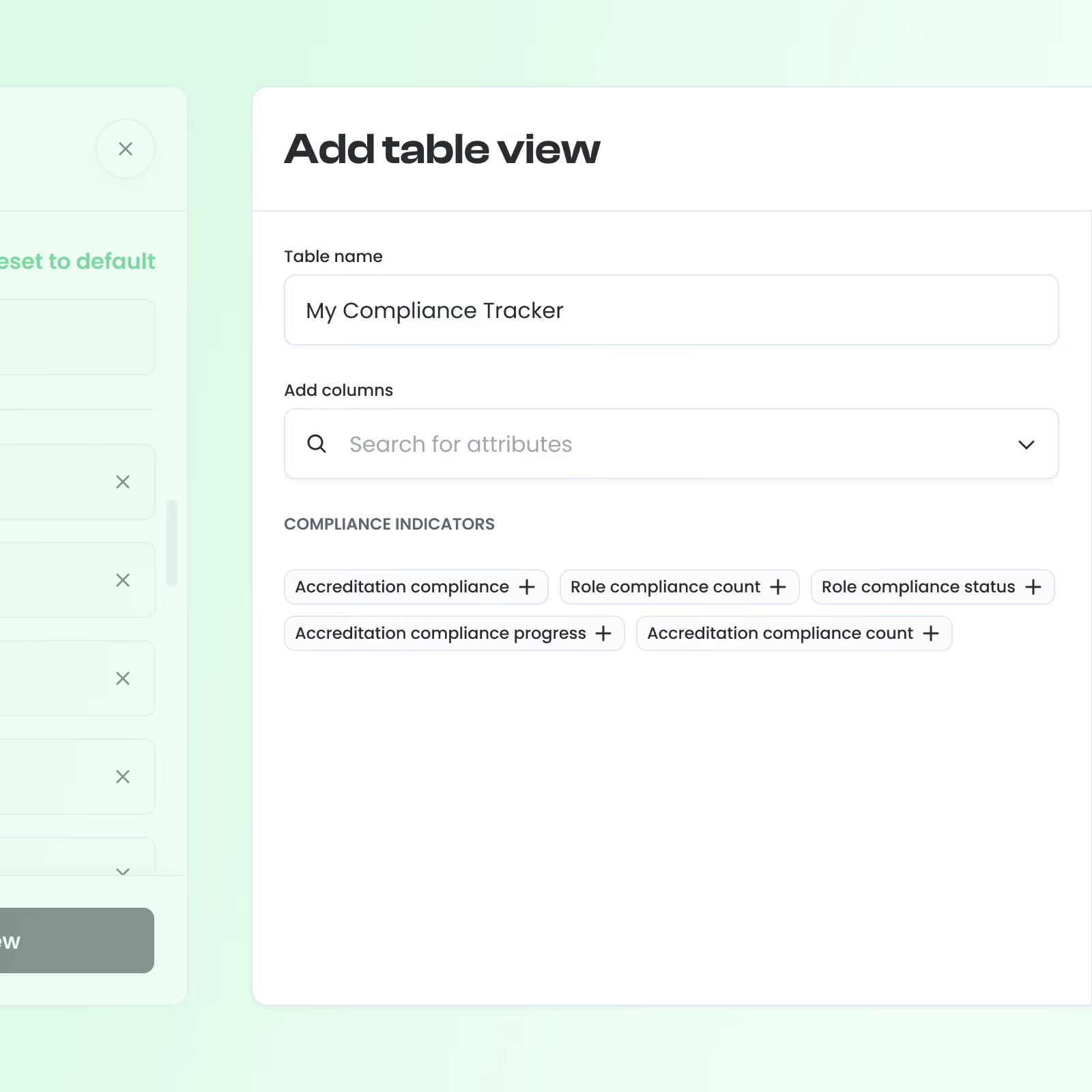
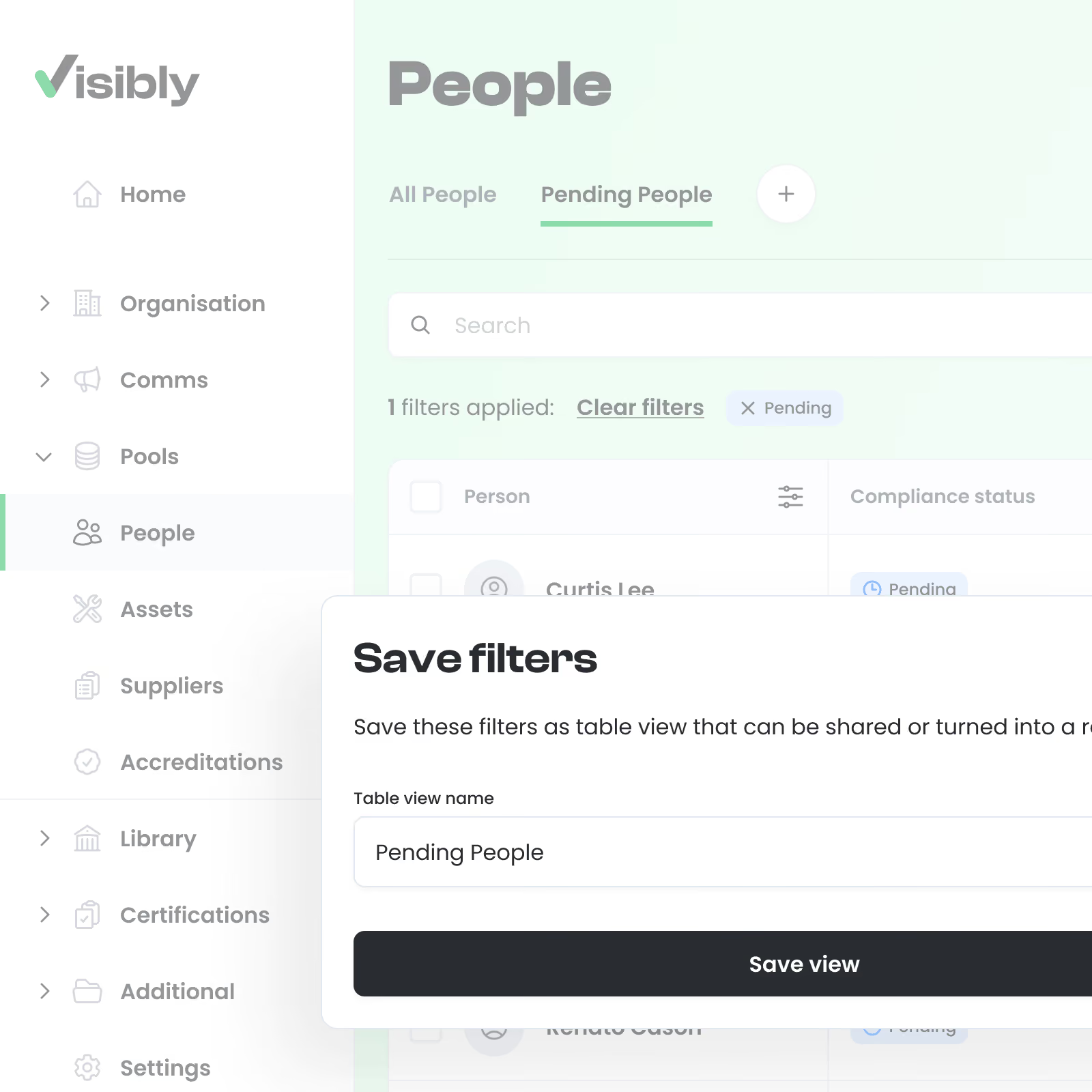
Rather than replacing our existing tables with completely open-ended configuration, we designed a layered customisation model.
Every dataset retained a default Visibly view, providing a reliable starting point for new customers and a reference customers could always return to.
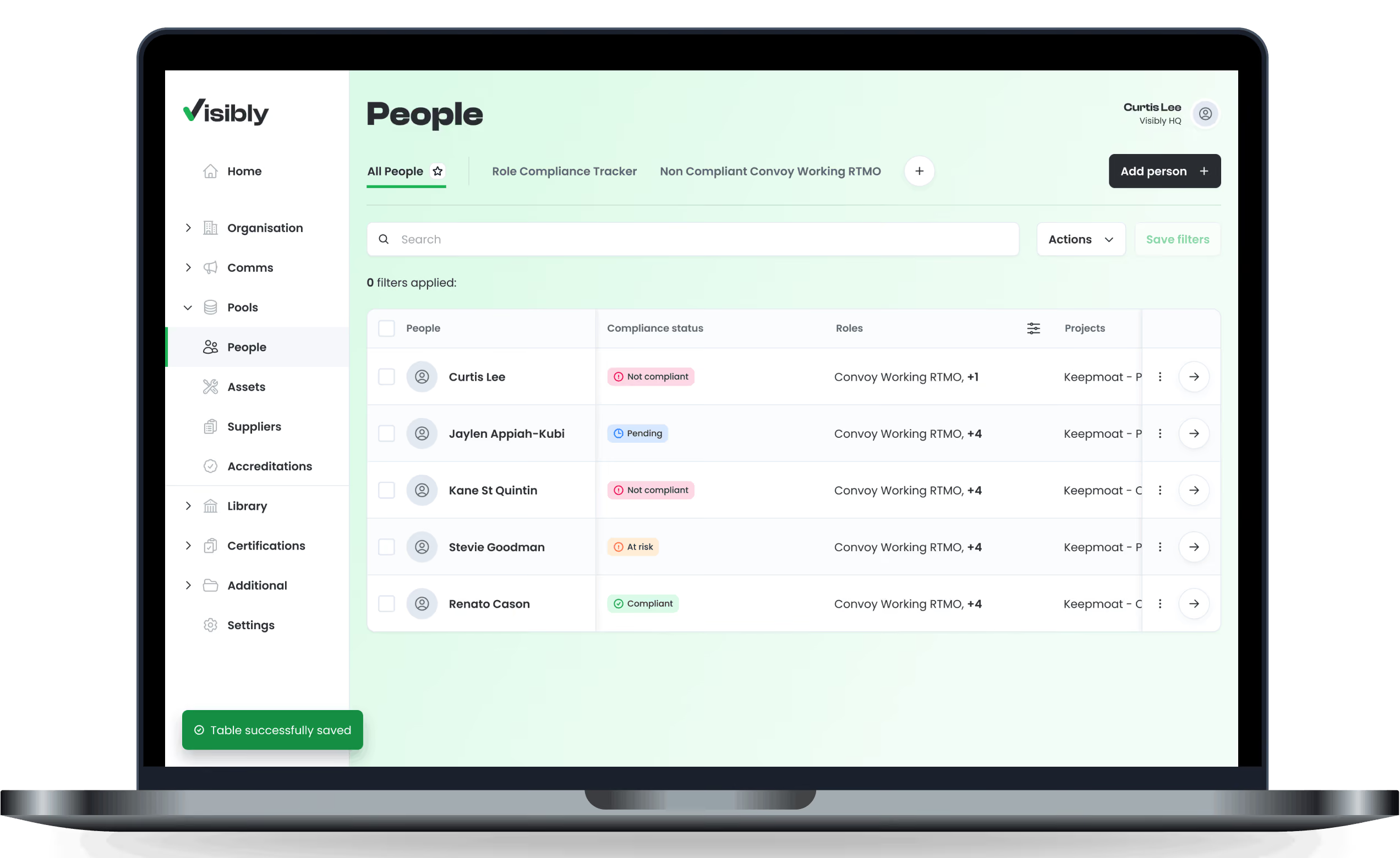
From there, users could create their own named views and configure which columns appeared, how they were ordered and which additional pre-built data columns they wanted to include.
We also introduced saved filtered views. Customers could filter a dataset around a particular task or use case, save that configuration as a named view and return to it without rebuilding the same filters each time.
Views could then be edited, deleted or selected as the user's preferred default, allowing frequently used configurations to appear immediately when returning to the table.
This created a flexible experience without sacrificing the underlying structure of the product.
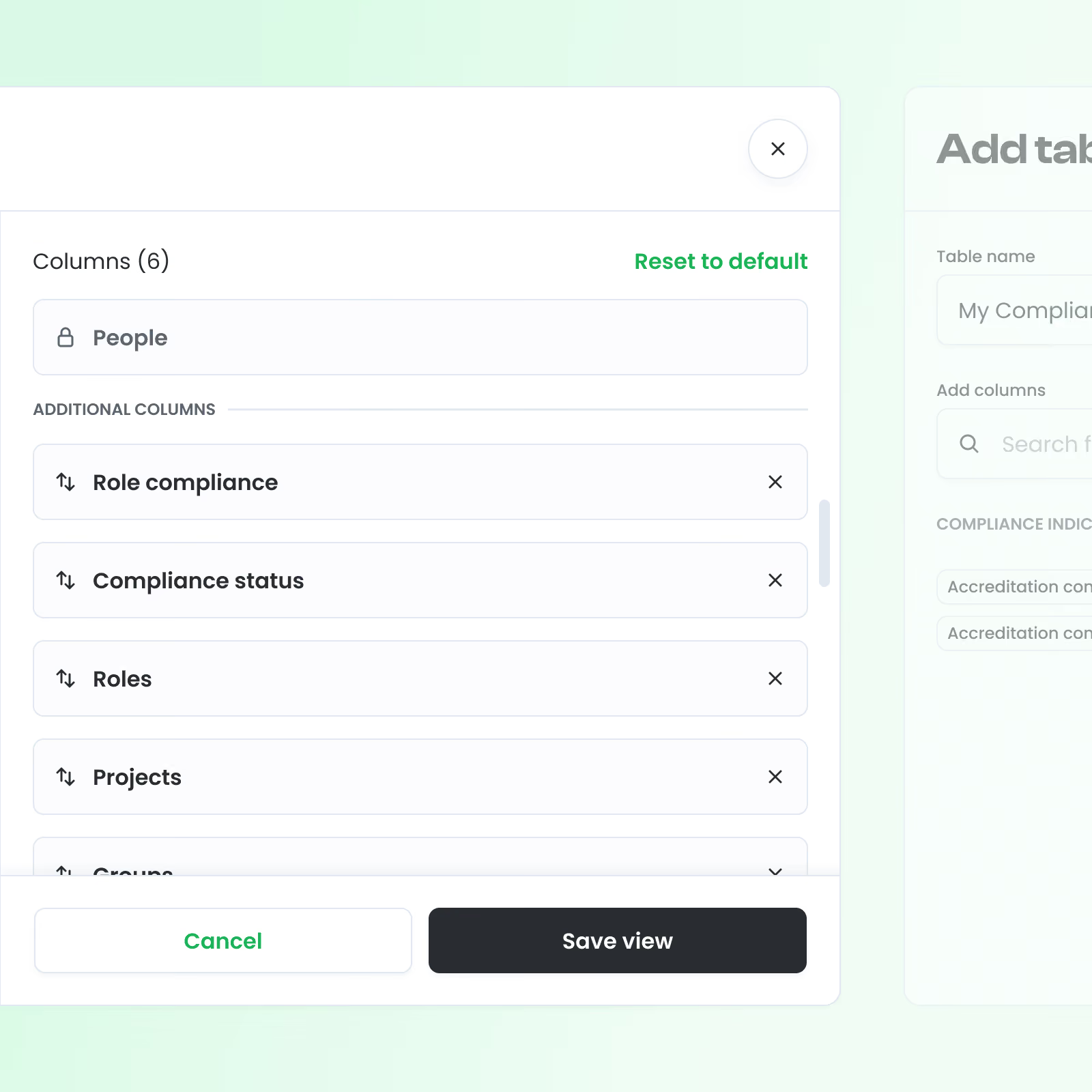
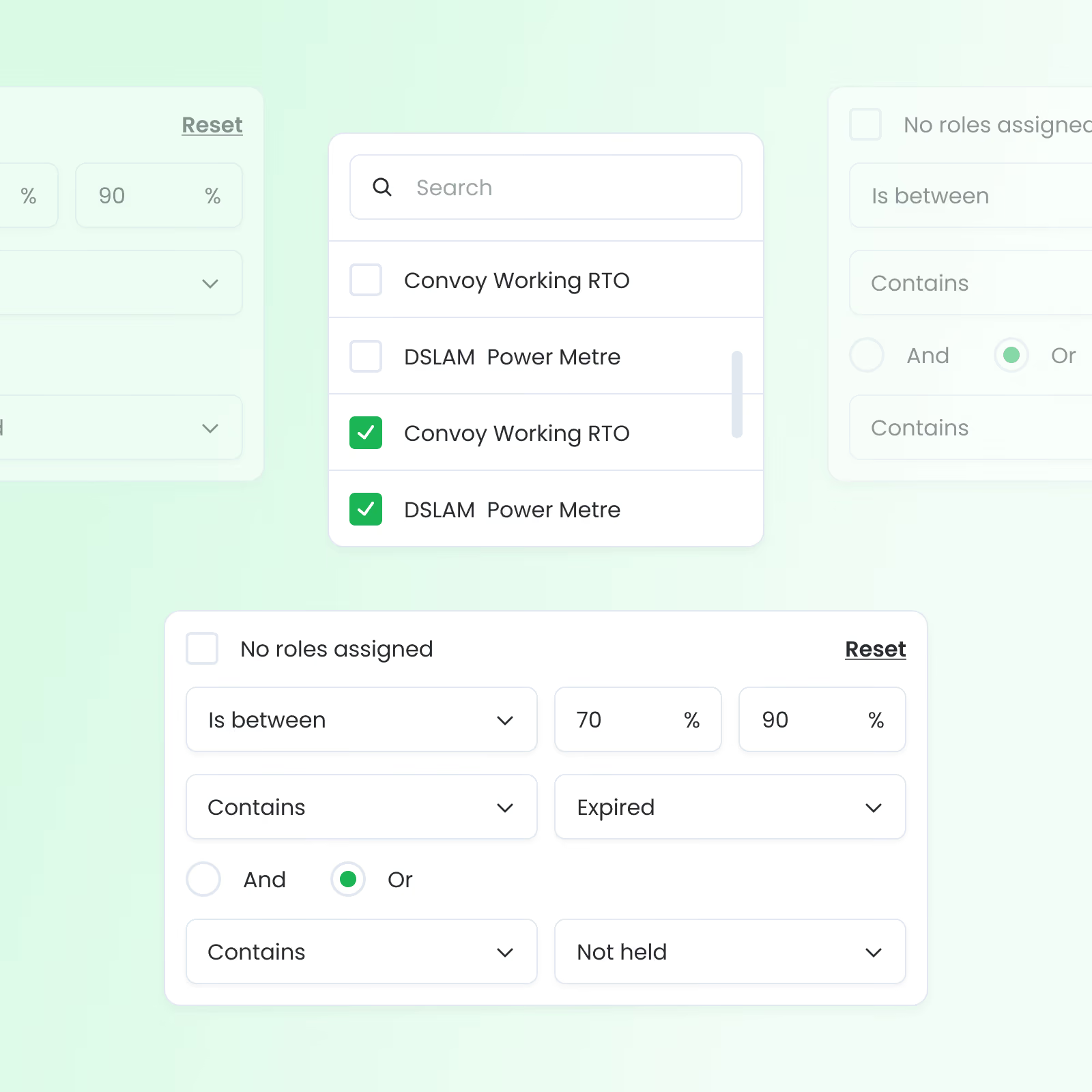
Customers could create multiple named variations of the same dataset, each configured around a particular role, task or operational need.
Columns could be added, removed and reordered while still drawing from a controlled set of data available within Visibly.
Frequently used filter combinations could be saved as reusable views rather than reconstructed each time.
This made tables useful not only for browsing data, but as repeatable working environments for specific processes.
Visibly's original table configuration remained available as a dependable baseline, while customers could choose one of their own views as the default experience.
This struck a balance between providing sensible product defaults and supporting the much more specialised needs of enterprise customers.
Views could be shared across teams, allowing organisations to establish common configurations around particular tasks or datasets instead of every user independently recreating the same setup.
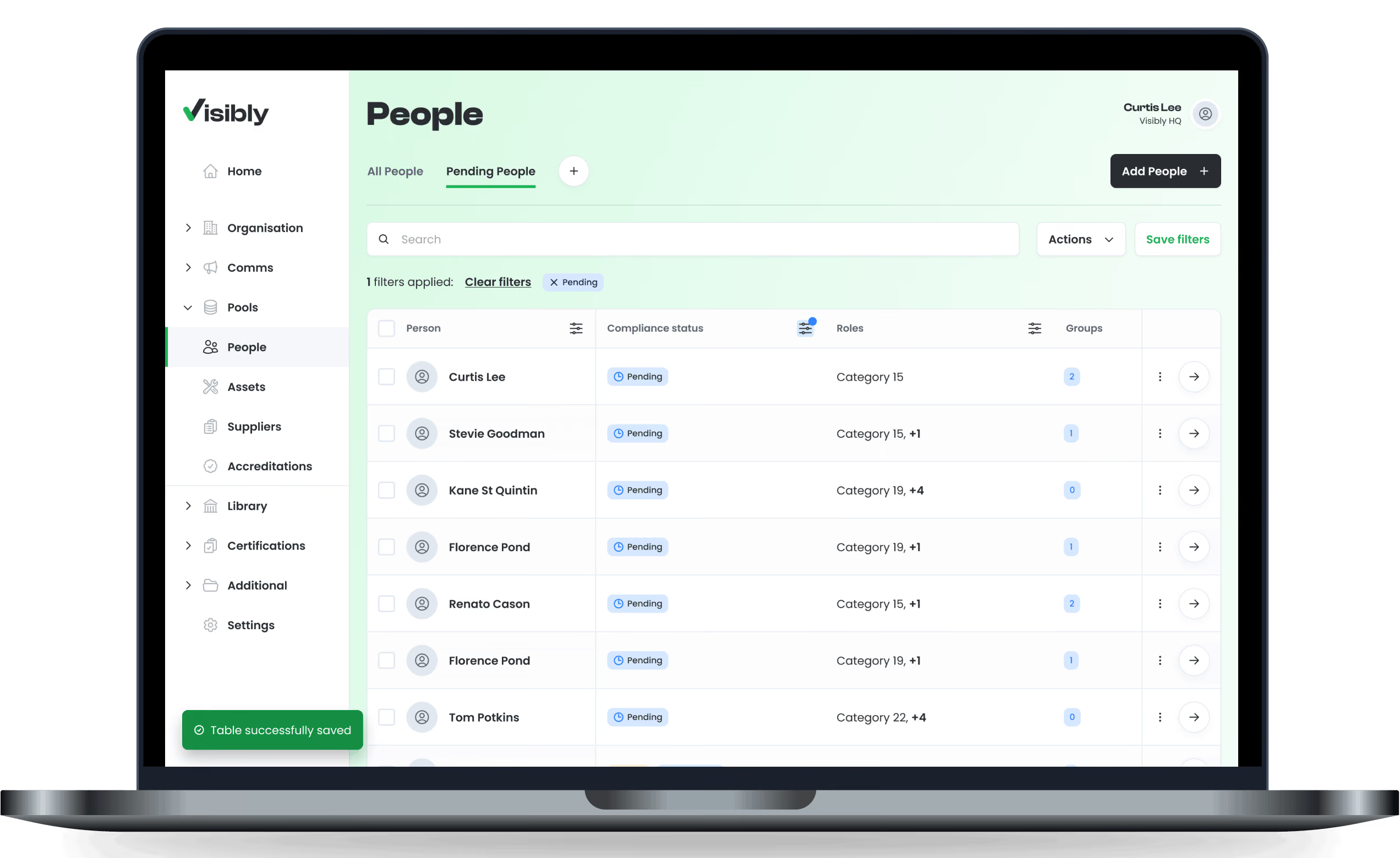
Table configuration shifted from something Visibly needed to manage on behalf of customers into a capability customers could control themselves.
Enterprise organisations were able to adapt the same underlying datasets to different roles, processes and reporting needs without requiring bespoke table builds from the product team.
For Visibly, this reduced one-off configuration work and allowed new data requirements to be handled through reusable product functionality rather than customer-specific implementations.
For customers, the tables became more useful as everyday working tools: important data could be surfaced faster, repeated views could be preserved, and teams could establish shared ways of working around the same underlying information.
Most importantly, the approach allowed us to support increasingly varied customer needs without fragmenting the core product experience.